Task 2 - Driving Me Crazy - (Forensics, DevOps)
Points: 30
Description:
Having contacted the NSA liaison at the FBI, you learn that a facility at this address is already on a FBI watchlist for suspected criminal activity.
With this tip, the FBI acquires a warrant and raids the location.
Inside they find the empty boxes of programmable OTP tokens, but the location appears to be abandoned. We’re concerned about what this APT is up to! These hardware tokens are used to secure networks used by Defense Industrial Base companies that produce critical military hardware.
The FBI sends the NSA a cache of other equipment found at the site. It is quickly assigned to an NSA forensics team. Your friend Barry enrolled in the Intrusion Analyst Skill Development Program and is touring with that team, so you message him to get the scoop. Barry tells you that a bunch of hard drives came back with the equipment, but most appear to be securely wiped. He managed to find a drive containing what might be some backups that they forgot to destroy, though he doesn’t immediately recognize the data. Eager to help, you ask him to send you a zip containing a copy of the supposed backup files so that you can take a look at it.
If we could recover files from the drives, it might tell us what the APT is up to. Provide a list of unique SHA256 hashes of all files you were able to find from the backups. Example (2 unique hashes):
Downloads:
disk backups (archive.tar.bz2)
Prompt:
Provide your list of SHA256 hashes
Initial Analysis
Unpacking the archive we are presented with a list of files
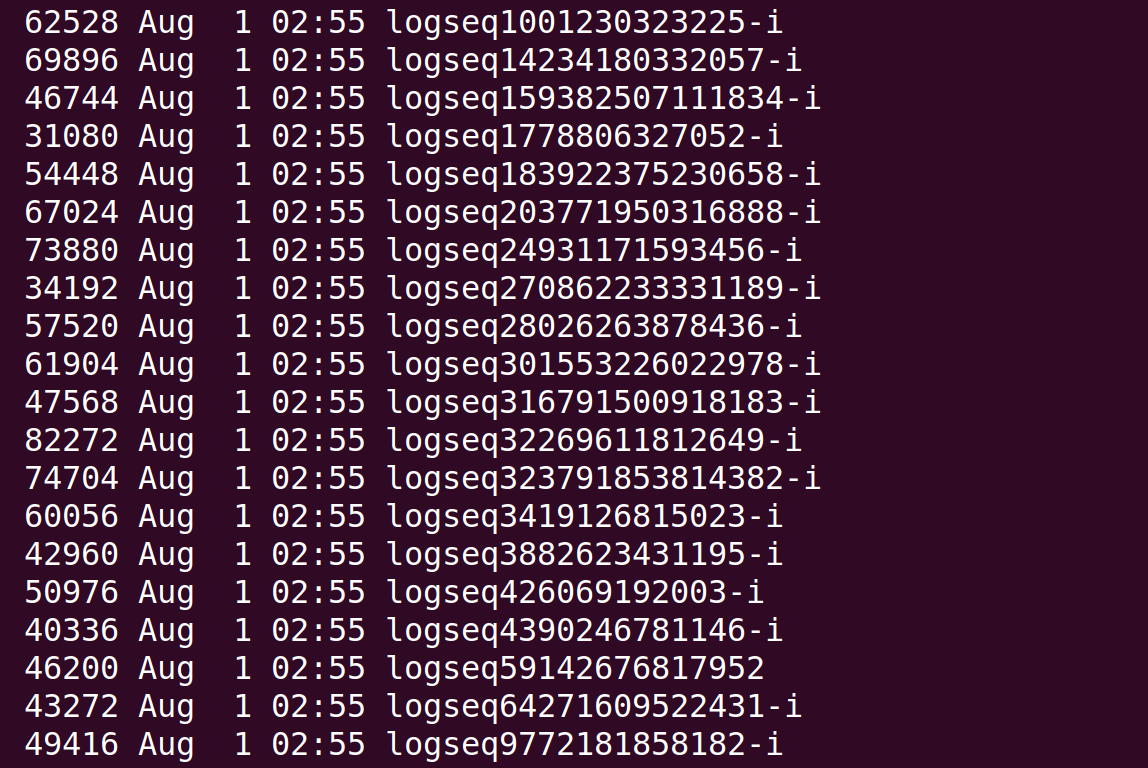 Viewing their type
logseq59142676817952: ZFS snapshot (little-endian machine), version 17, type: ZFS, destination GUID: 23 6E 4F 12 45 FFFFFFF4 FFFFFFF6 FFFFFFA7, name: 'uwsypool/tlfs@logseq59142676817952'
It looks like these are ZFS backup files, logseq59142676817952 is the initial backup of the file system and all other files ending in -i are the incremental backups.
Restoring ZFS Backup
In order to get all of the files that were backed up on the system we need to apply the ZFS snapshots in order initial_backup->1st_incremental->2nd_incremental...
Create zfs pool
zfs create uwsypool/tlfs
Then add the snapshots
sudo zfs receive -F uwsypool/tlfs < logseq59142676817952
To find the next snapshot the destination GUID should match with source GUID of the next file so,
logseq59142676817952: destination GUID: 23 6E 4F 12 45 FFFFFFF4 FFFFFFF6 FFFFFFA7
matches with
logseq270862233331189-i: ZFS snapshot (little-endian machine), version 17, type: ZFS, destination GUID: FFFFFFE2 FFFFFFC3 FFFFFFF4 FFFFFF84 FFFFFFBA 3B 78 FFFFFFCC, source GUID: 23 6E 4F 12 45 FFFFFFF4 FFFFFFF6 FFFFFFA7, name: 'uwsypool/tlfs@logseq270862233331189'
then
sudo zfs receive -F uwsypool/tlfs < logseq270862233331189-i
We continue this until we have received all the snapshots.
Once all snapshots are added make the .zfs directory visible with
sudo zfs set snapdir=visible uwsypool/tlfs
Accessing this directory will allow us to view deleted files and add them to our hash list
Getting our Hashes
To get all of the hashes I wrote a bash script to recursively get all sha256 hashes for all files in /uwsypool/tlfs
#!/bin/bash

if [ $# -eq 0 ]; then
    # Use current directory if no argument provided
    DIR="."
else
    DIR="$1"
fi

if [ ! -d "$DIR" ]; then
    echo "Error: Directory '$DIR' does not exist."
    exit 1
fi

find "$DIR" -type f -print0 | while IFS= read -r -d '' file; do
    sha256sum "$file"
done
Once we get our hashes we can submit them as our flag !